Game cartridges were made to last, but not forever. Batteries wear out, contacts corrode, and circuit boards age. Discs have their own problems: scratches, warping, and sometimes “disc rot”, when their reflective coating slowly breaks away. And the older the original gear required to play these games gets, the more difficult and expensive it becomes to replace.
Many collectors seek personal archival copies of games they already possess for these reasons. In this post, we’ll discuss how to legally back up game cartridges and discs, what hardware you’ll need, and how to verify and store your files. It’s all about keeping your own collection. It does not include any downloading, sharing,g or distribution of copyrighted games.
What Does It Mean to Back Up a Game?
A game backup is a digital copy of the data from your original physical media. There are two primary types.
- ROM dump: A ROM dump means that the game data is stored on ROM (read-only memory) chips. A ROM dump is a file that contains a copy of that data, read directly from your own cartridge.
- Disc image: A disc image is a complete replica of the contents and structure of a disc saved as a file or series of files in formats such as ISO or BIN/CUE.
A physical cartridge is more than just data. Your saves are in the shell, the circuit board, the chips, and sometimes a battery. The dump is just the game data. Likewise, a disc image duplicates the data, not the disc, case, or manual.
A backup isn’t a replacement for the original, but it does safeguard your collection. If your cartridge breaks, or your disc gets scratched, verified backup means the game data doesn’t go with it.
Is It Legal to Back Up a Game You Own?
The honest answer it is contingent upon your country and what exactly you are doing. The following actions are often treated quite differently by the law:
- Owning a physical copy: You own the cartridge/disc as an object, but you don’t own the copyright of the game.
- Making a personal backup: Some jurisdictions enable you to make backup or archive copies of the Software under certain circumstances. Others have more restrictive restrictions or none that explicitly address games.
- Downloading someone else’s copy: This is a different act than duplicating your own media, and the law frequently treats it differently.
- Sharing a backup: In general, giving another person a copy does not qualify as a personal backup exception.
- Publicly distributing a backup: Uploading or otherwise disseminating to the public is the activity most likely to breach copyright.
- Circumventing DRM or copy protection: This is independently regulated in many countries, and may be limited even where copying may be authorised.
Two examples illustrate the different rules. In the United States, Section 117 of the Copyright Act allows the owner of a copy of a computer program to produce an archive copy under specific conditions. And another legislation, Section 1201 of the DMCA, prohibits circumvention of technological safeguards for access. The Software Directive in the European Union permits a legitimate user to produce a backup copy of a computer program if essential for its use, and each member state implements it in its own way. These criteria are not always so clear-cut in terms of video games in particular.
The crucial thing to understand here is that simply because you possess the original game does not mean you may legally download or distribute another copy. Nothing above should be interpreted as legal advice. If in doubt, ask and check the laws that apply where you live.
What You Need to Back Up Your Games
| Media | Typical Equipment | Purpose |
|---|---|---|
| Cartridges | Compatible cartridge reader/dumper | Reads game data from your original cartridge |
| Discs | Compatible optical drive | Reads data from your original disc |
| Computer | Storage plus dumping/imaging software | Creates, saves, and verifies backup files |
| External Drive | USB hard drive or SSD | Keeps additional backup copies |
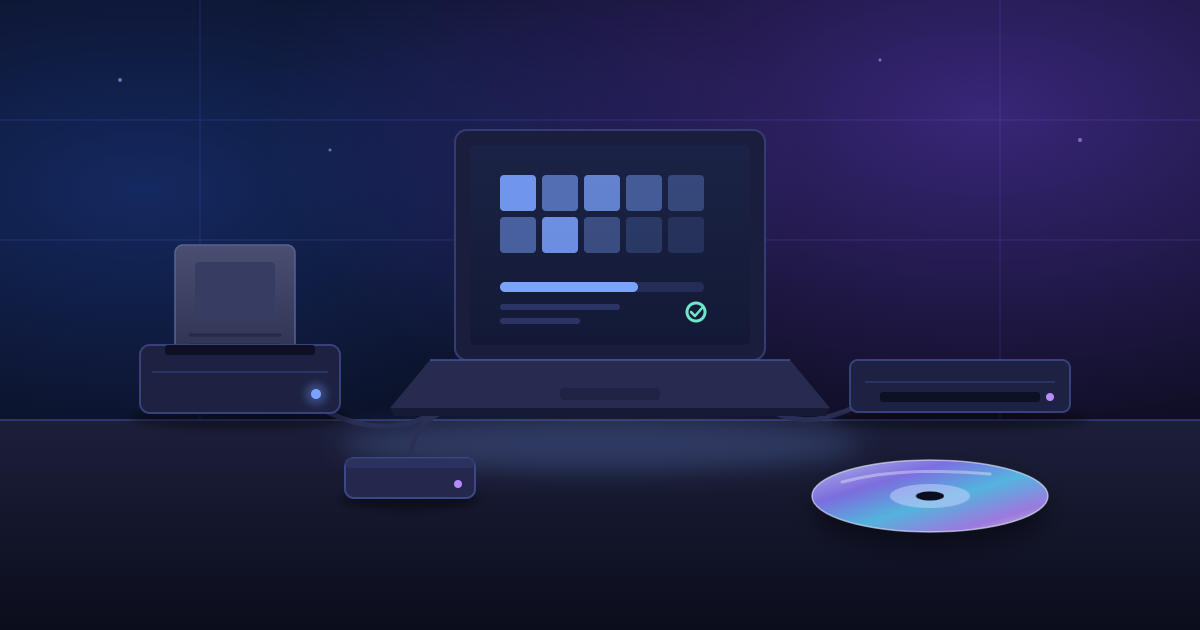
Readers for cartridges are common; the Retrode is a popular example. It plugs into the USB port and reads some 16-bit cartridges natively, with optional adapters to add support for some other systems. Compatibility still varies by platform, and even by individual cartridge, so check the manufacturer’s supported list before buying.
Step-by-Step: Backing Up a Cartridge You Own
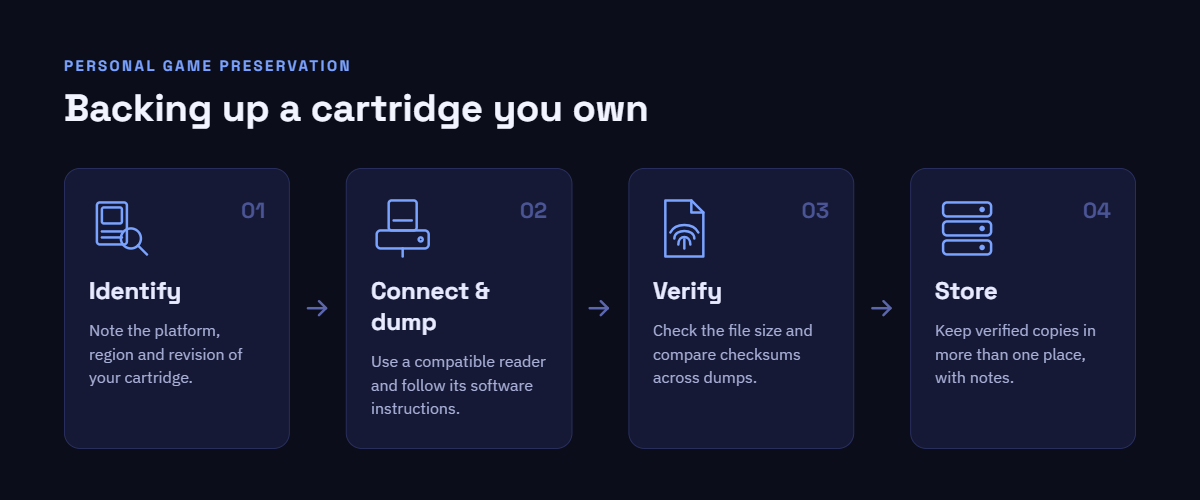
Exact techniques and file formats differ from system to system, but the overall workflow for cartridge dumping is:
- Identify the exact console and cartridge. Write down the platform, area, nd any revision details printed on the label or board.
- Confirm that your cartridge reader supports it. See the device manuals. Some cartridges have specific chips or saving circuitry which a reader may not be able to handle.
- Connect the reader to your computer. Use the suggested cable and install any essential drivers.
- Insert the original cartridge. First, clean dirty contacts. Softly. Most often, isopropyl alcohol is used with a cotton ball.
- Use compatible dumping software. Follow the instructions from your device’s hardware maker.
- Create the personal dump. Leave the process to finish without unplugging anything.
- Save the resulting file securely. Save the file securely.
Use a clear and consistent file name. If your software enables verification, verify the file (see below). If the reader does not recognise a cartridge, there is generally a compatibility or connection problem. Do not try to go around any safeguards.
Step-by-Step: Creating a Backup of a Game Disc
The overall disc backup preservation method is similar:
- Inspect and clean the original disc if necessary. Use a soft microfibre cloth to rub it in straight lines from the center to the edges – never in circles.
- Use a compatible optical drive. Many console discs are in formats that cannot be read by regular PC drives.
- Insert the original disc.
- Use reputable disc-imaging software. Use well-established, legitimate tools.
- Create an image in a format that your software supports, such as ISO or BIN/CUE.
- Verify that the process completed successfully. Check the software log for read errors.
- Store the image securely.
Some discs have copy protection or other technical protections. There may be legal difficulties with circumventing them beyond simply making the copy, so be sure to verify the rules in your area before proceeding.
How to Verify Your Backup
A backup is only as good as it is correct. You can have a file that appears acceptable but fails later on due to a single read error.
The main verification tool is a checksum (or hash). A checksum is like a digital fingerprint for a file; if the file gets changed or corrupted, its checksum can change too. The most common types are CRC32, MD5,5 and SHA-1.
To verify a backup:
- Check the file size. A read that’s too little is often a read that’s not complete.
- Generate checksums and store them with the file.
- Use built-in verification features of your dumping or image software.
- Repeat the dump if necessary. If two different dumps give the same checksums, then this is a good hint that both reads were consistent.
- Keep notes about the original physical copy, so you can trace each file back to the media it originated from.
How to Store Your Personal Game Archive
A simple, consistent folder structure keeps your archive manageable:
Game Archive
└── Platform
    └── Game Name
        ├── Personal Dump
        ├── Verification
        └── Documentation
For each game, record the:
- Game title
- Platform
- Region
- Version/revision, if known
- Date of backup
- Hardware used
- Notes about the physical copy’s condition
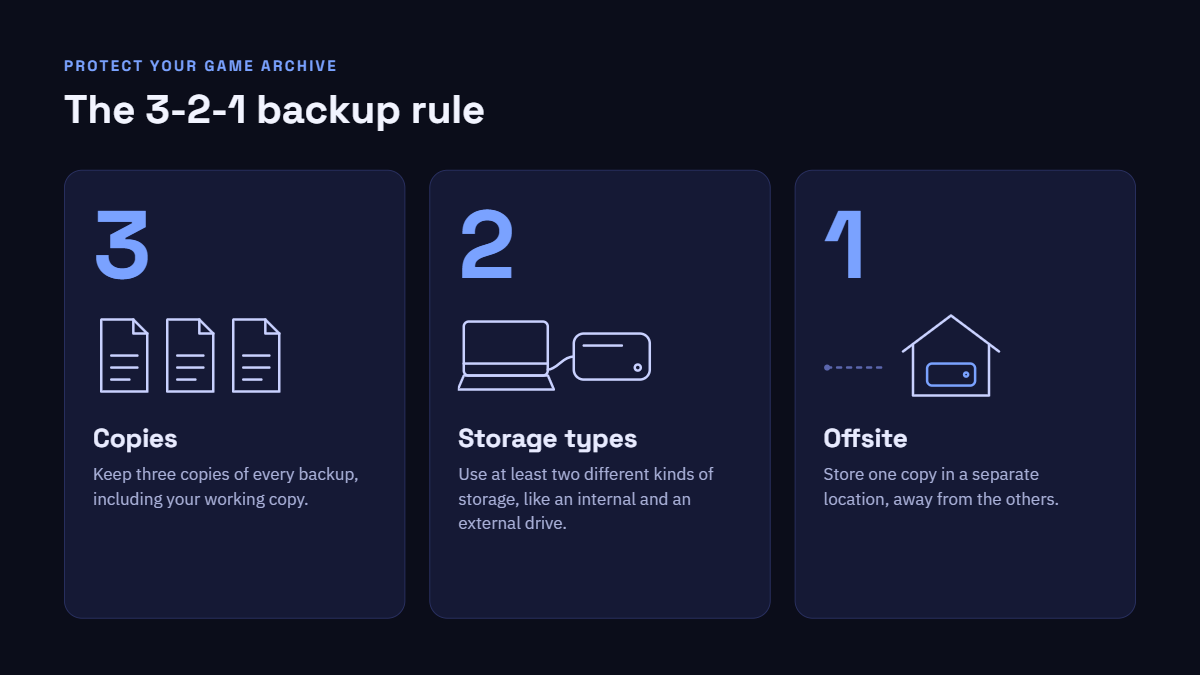
Then follow the 3-2-1 backup principle:
- 3 copies of your data
- 2 types of storage media (such as an internal drive and an external drive)
- 1 copy held independently, in a distinct physical location
Can You Download a ROM If You Own the Original?
This is one of the biggest vintage gaming myths. Holding a tangible cartridge or disc is one thing, but downloading a ROM off the internet is another. Buying one does not mean one can buy the other.
Whether downloading a ROM is legal depends on elements like:
- Your jurisdiction
- Source from ROM
- Copyright status of the game:
- Whether the right holder has consented to the distribution
- Any legal exceptions that apply
- DRM and guidelines to circumvent
Where there are exceptions to the backup rule, they normally let you make copies of media that you legitimately possess. A file obtained from an unauthorised site is someone else’s copy, shared without permission. A personal dump of your own cartridge or an official re-release is the clearer route if you desire a digital version of a game.
Can You Share Your Personal Backup?
Personal preservation and distribution are two separate things. The possibilities are varied:
- The reason to do personal archiving is to keep your backup for yourself.
- Sharing it with friends is sharing and is generally beyond the personal backup exceptions.
- Once you upload it to a website, it becomes public.
- Sharing the URL privately is not distribution, but sharing the link through file-hosting services is.
- The biggest legal concern is sharing copyrighted game files with the general public.
Just because you have an original copy doesn’t mean you get to disseminate copies of it.
Common Mistakes to Avoid
- Ownership means that you are allowed to copy. Rules vary and are linked to specific actions, not to ownership in general.
- Downloading ROMs from any websites. Keeping your own games is a different affair, and those files can have viruses too.
- Public sharing of personal dumps. Distribution is not preservation
- Bypassing DRM and copy-protection regulations. Circumvention may be limited apart from copying.
- Using incompatible hardware. This may lead to faulty dumps or possibly damage to cartridges.
- Not checking a backup. A non-verified file could be corrupt, and you would never know it.
- Only one backup kept. If one drive fails, it can wipe out your entire archive.
- Losing track of which physical copy produced the backup. Good records connect each file to its original.
Cartridge vs. Disc Backup
| Feature | Cartridge | Disc |
|---|---|---|
| Required hardware | Platform-specific cartridge reader | Compatible optical drive |
| General process | Read data directly from ROM chips | Image the disc’s data and structure |
| Storage | Usually small files | Often much larger files |
| Common challenges | Dirty contacts, unsupported chips | Scratches, read errors, drive compatibility |
| Verification | Checksums, repeat dumps | Checksums, error logs, repeat images |
| Preservation considerations | Aging batteries, corrosion | Disc rot, physical damage |
Final Checklist for Game Preservation
☐ Own the original physical game.
☐ Identify the correct platform and media.
☐ Use compatible preservation hardware.
☐ Follow the hardware/software documentation.
☐ Create your personal backup.
☐ Verify and securely store it.
☐ Keep the original media safe.
Frequently Asked Questions
What is a ROM dump?
A ROM dump is a digital copy of the data that was read from the memory chips of a game cartridge. When you make one out of your own cartridge with a suitable reader, it’s a personal archival copy. It merely has the game data, not the physical cartridge or any of its hardware components.
Can I back up a cartridge I own?
It depends where you reside. Some governments allow backup or archival copies of software under certain conditions, while others are more restrictive or ambiguous regarding games. Copy protection rules may also apply. Make sure you check the regulations in your nation before making a backup, and ask an expert for guidance if you are unsure.
Can I download a ROM if I own the original?
Not all the time. Downloading a ROM is a separate action from having a cartridge, and the legality of it is contingent upon your jurisdiction, the source, and whether the distribution was authorised. Just because you have the original, you’re not allowed to download another copy. The most obvious route is either to dump your own cartridge or buy an official re-release.
Can I share my personal backup with someone else?
Personal backup exclusions (if any) generally apply to copies that you keep for yourself. Uploading it or sharing it via file-hosting services to make a backup for a friend constitutes distribution and is considered substantially different under copyright law. Just because you have the original does not mean you have the right to disseminate copies.
Are emulators and ROMs the same thing?
No. An emulator is a programme that emulates the hardware of a console so you can play games on a different device. ROM is the actual game data. The legal issues are different for each. An emulator is legal or not based on how it was created. ROM is lawful or not based on where it came from and whether or not it is copyright protected.
Conclusion
Physical games don’t endure forever, and preservation is becoming a significant problem for anyone with a collection of ageing cartridges and discs. Careful, verified personal backups can secure those collections against battery failure, corrosion, disc rot and simple mishaps.
“Responsible archiving” entails only dumping media that you own, validating and documenting each file, and keeping backups safe. It’s also about respecting copyright: knowing what the law is where you are, not breaking copy protection where that’s illegal, and never giving copies away in public. That kind of personal preservation gives your collection, and your methods, a strong footing.